Owlphabet Soup
A downloadable game for Windows, macOS, and Linux
Don't play with your food!
Says who?
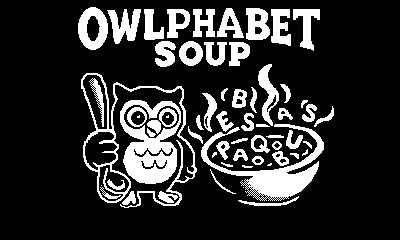
Stir a bowl of chaotic alphabet soup and ladle letters into the right order before the timer boils over. Nudge, bump, and chain-push tiles around the pot; when the right letters snap into their slots, the word completes automatically, and you’re on to the next. Survive long enough, and the recipes get spicier: longer words and the occasional decoy letter to keep you on your toes.
How to Play
-
Stir the soup (move):
D-Pad = left/right
Playdate Crank = up/down
-
Goal: Slide letters into the outlined slots to spell the target word.
-
Time: Finish words to earn bonus seconds. When time hits zero… soup’s on you.
Notes
Runs on Playdate hardware or Simulator. Package includes a .pdx build; drop it onto your device or open it in the Simulator and start stirring!
Download
Install instructions
What you get
-
A
.zipthat contains the game bundle:OwlphabetSoup.pdx
(On macOS it looks like a single file; on Windows it’s a folder namedOwlphabetSoup.pdx.)
Play on Playdate
Option A — Sideload (easiest)
-
Download the
.zipfrom this page and do not unzip it. -
Go to play.date/account → Sideload → Upload and select the
.zip. -
On your Playdate, open Settings → Games → Download Games to fetch and install it.
Option B — USB Data Disk (offline)
-
Unzip the download; you should have
OwlphabetSoup.pdx(a file on macOS / a folder on Windows). -
On Playdate, go to Settings → System → Data Disk Mode (your Playdate mounts as a USB drive).
-
Open the mounted PLAYDATE drive → Games and copy the entire
OwlphabetSoup.pdxinto it.-
Windows: copy the whole folder named
OwlphabetSoup.pdx(not just its contents). -
macOS: copy the
.pdxpackage file.
-
-
Eject the PLAYDATE drive and exit Data Disk Mode on the device. The game appears in your catalog.
Play on Playdate Simulator (macOS/Windows)
-
Install the Playdate SDK from play.date/dev (includes the Simulator).
-
Unzip the download; keep the
OwlphabetSoup.pdxbundle intact. -
Open Playdate Simulator and File → Open…, then choose
OwlphabetSoup.pdx.
(You can also drag the.pdxonto the Simulator window.)
Notes & Troubleshooting
-
If Windows shows a regular folder named
OwlphabetSoup.pdx, that’s correct—copy the whole folder. -
Don’t rename or move files inside the
.pdx; renaming the outer.pdxis fine. -
If the game doesn’t appear after sideloading, re-open Settings → Games → Download Games and ensure your Playdate is online.
Leave a comment
Log in with itch.io to leave a comment.